A tour of the dashboard
Every screen, what it is for, and the one thing on each worth knowing before you need it.
Eight destinations in the rail, plus the page for a single agent, and you will spend most of your time on three of them. This page walks all of them in the order the navigation lists them, so you can read it once and then come back to a heading.
Every screenshot here is a live dashboard with real testnet money in it.
Overview
Where spend, refusals and agent activity are rolled up across the last seven days.
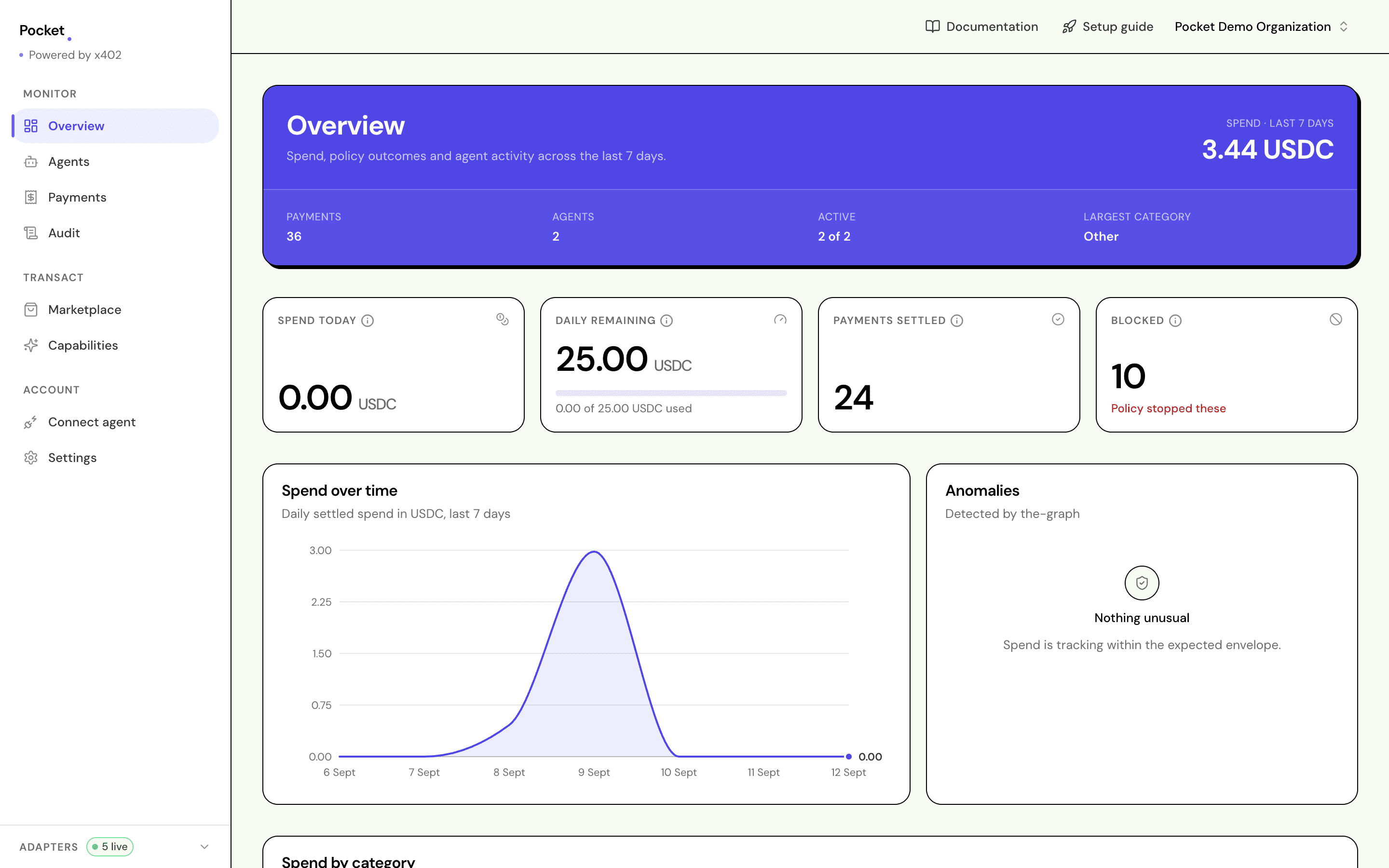
The blue header is the period total. The four tiles under it are today's figures, which is a different question and deliberately kept apart: an agent can be comfortably inside its weekly average and still have burnt its whole day by lunchtime.
Blocked counts refusals, and it is a number worth watching rather than clearing. A steady handful means your limits are doing their job. A sudden spike means something changed — a price, a seller, or an agent's idea of what it is allowed to buy.
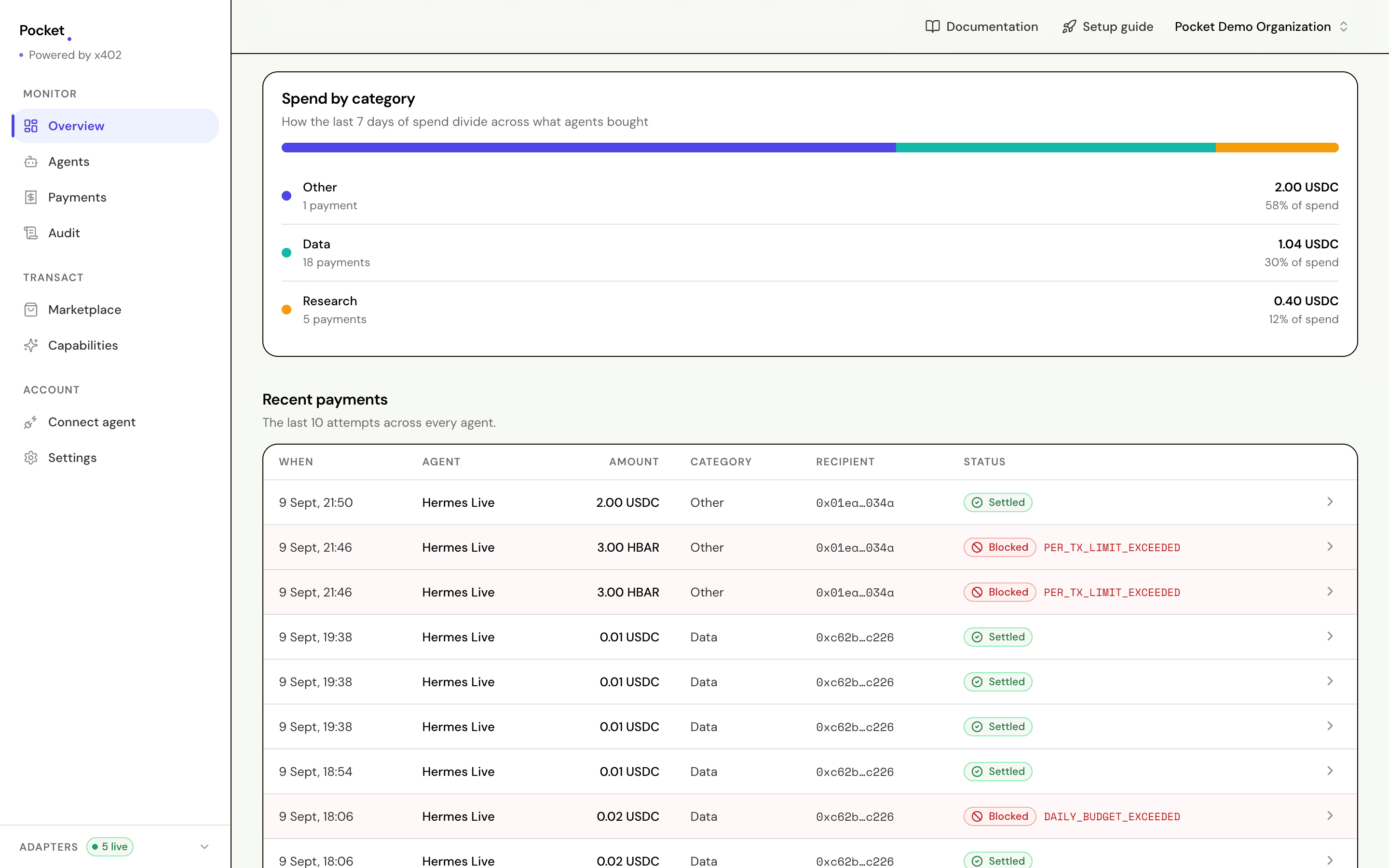
Spend by category divides the period by what was bought, not by who bought it. Recent payments is the last ten attempts across every agent, refusals included, and it is the fastest way to answer "what just happened?".
Agents
Every agent holding a wallet, with today's spend against its daily budget.
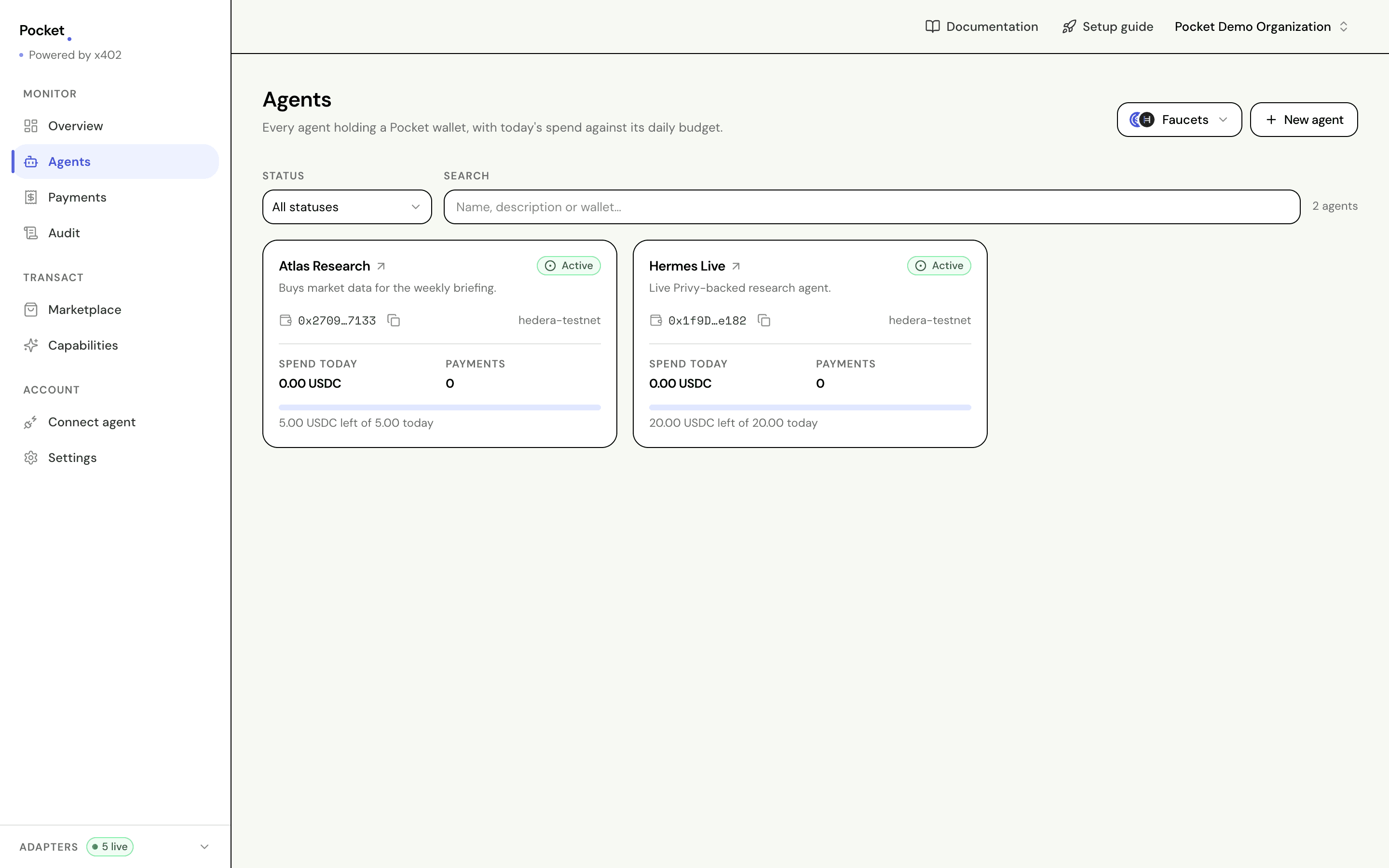
Each card carries the wallet address, so the common errand — copy the address, go and fund it — does not require opening the agent first.
Faucets, beside New agent, opens both testnet taps. It sits on this screen because this is where you are standing when you discover a wallet is empty. See funding a wallet.
One agent
The page where the limits actually live. Everything that decides whether a purchase goes through is set here.
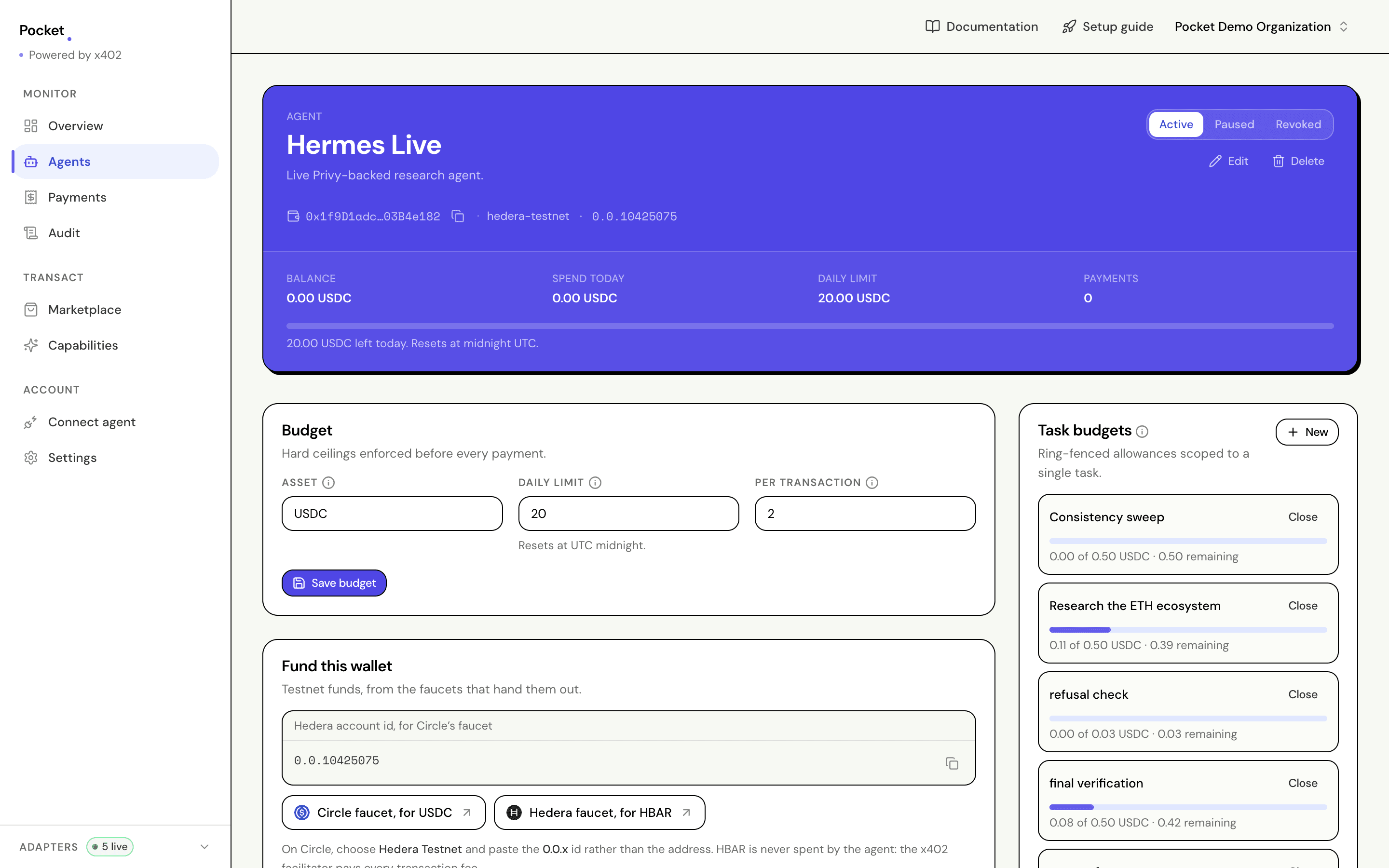
The header carries the four numbers you check first, and the status control — Active, Paused, Revoked — sits at the top right. Pausing refuses everything until you resume. Revoking is permanent.
Budget is the standing ceiling: how much a day, and the most any single purchase may cost. Fund this wallet gives you both addresses the faucets ask for, and the note about which one Circle wants.
Task budgets are separate allowances scoped to one job. Each shows what it has spent against what it was given, and closes when the work is done.
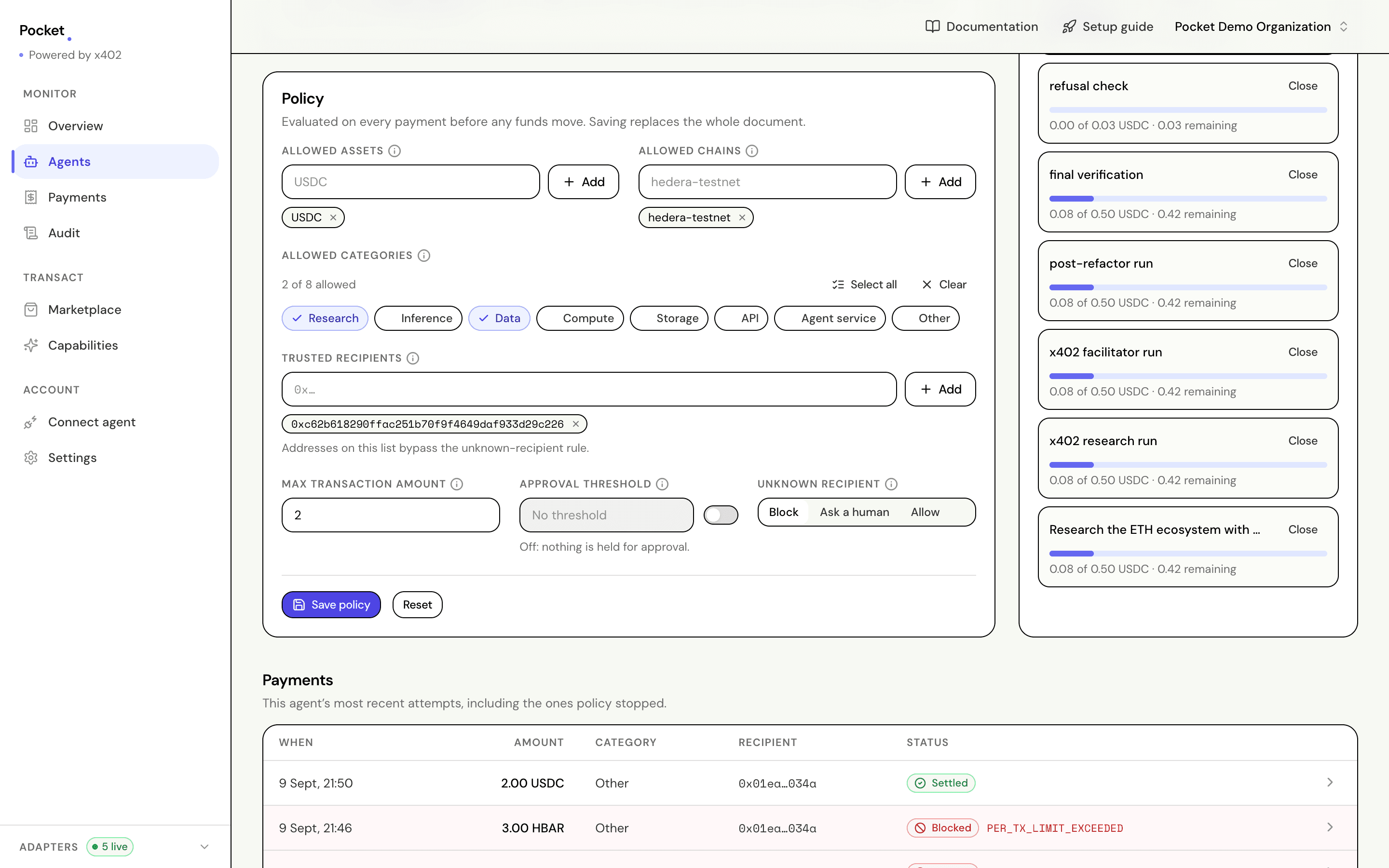
Policy answers a different question from Budget. Budget is about amounts; policy is about permission: which assets, which chains, which categories of spend, which sellers, and what happens for a seller not on the list.
This agent's own payment history sits at the bottom of the page, so you never have to filter the global list to see what one agent did.
Payments
Every attempt, in one place, filterable by agent and by status.
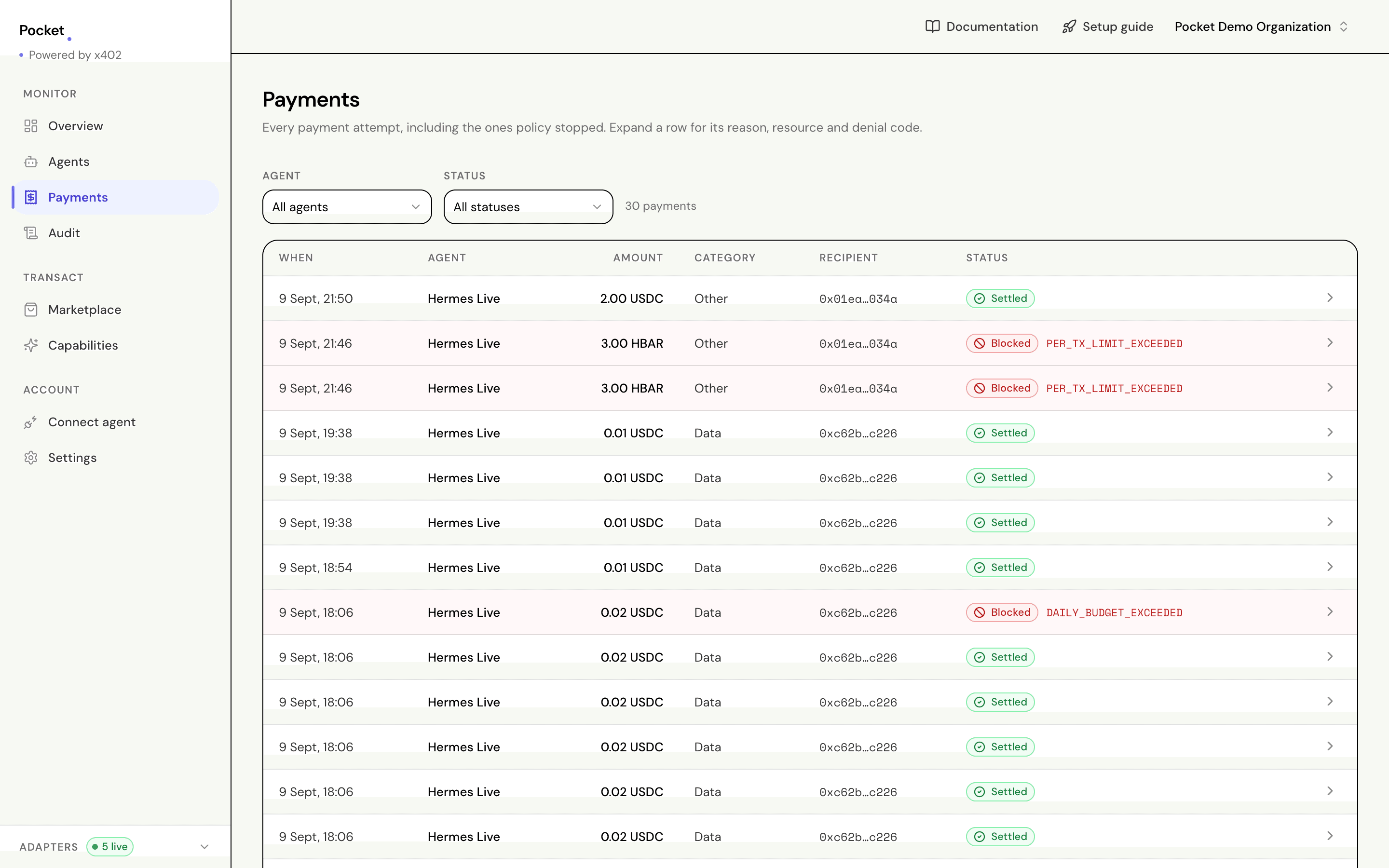
Refused rows are tinted and carry the code that stopped them. Expand any row for the whole story:
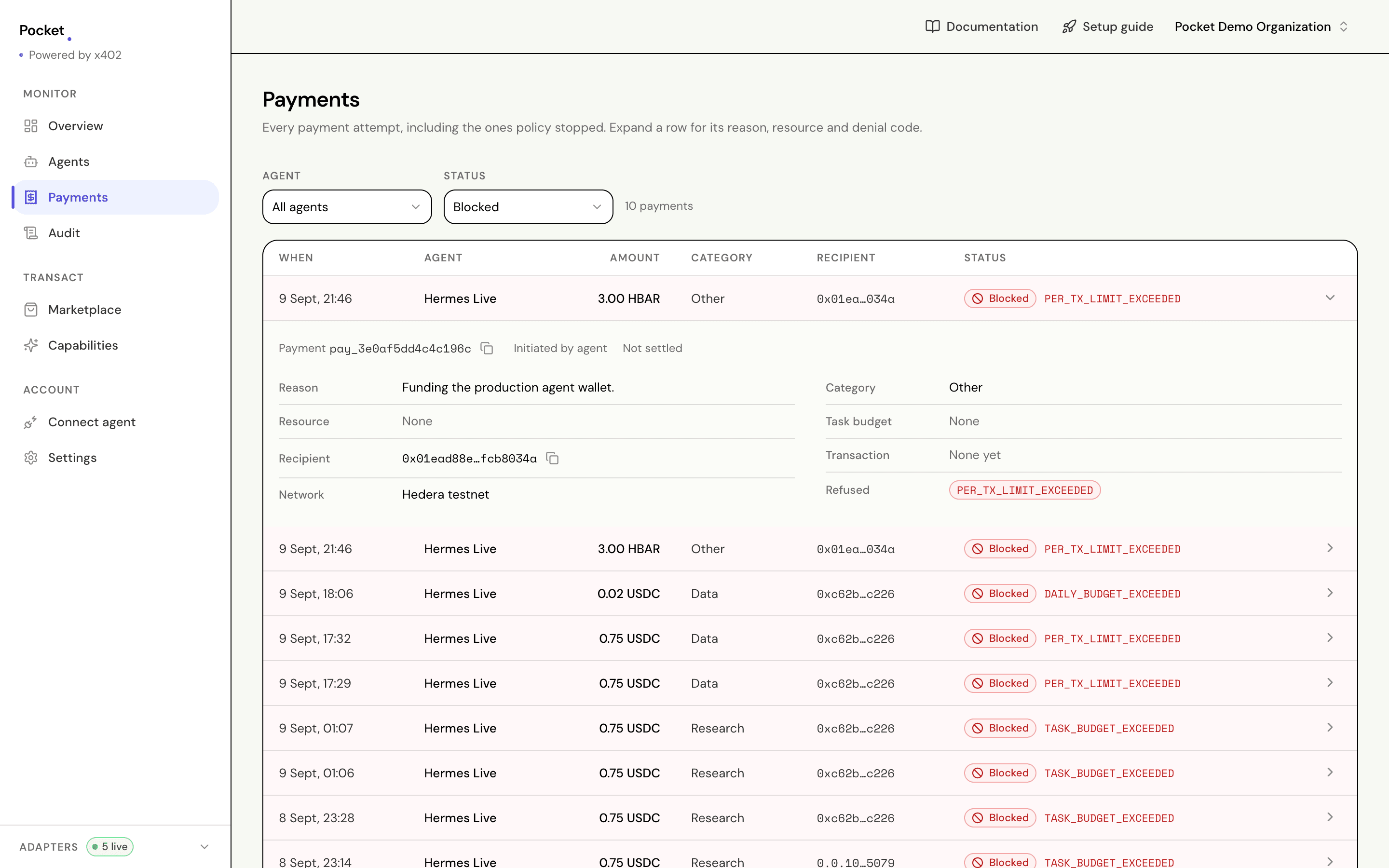
The line worth reading is Reason: what the agent said it wanted this for, recorded at the moment it asked. Weeks later that is the difference between a row you can account for and a row you cannot.
Purchases held for approval are released or rejected from this screen.
Audit
Everything that happened, not just payments. Budget changes, policy changes, new agents, new keys, approvals, settlements.
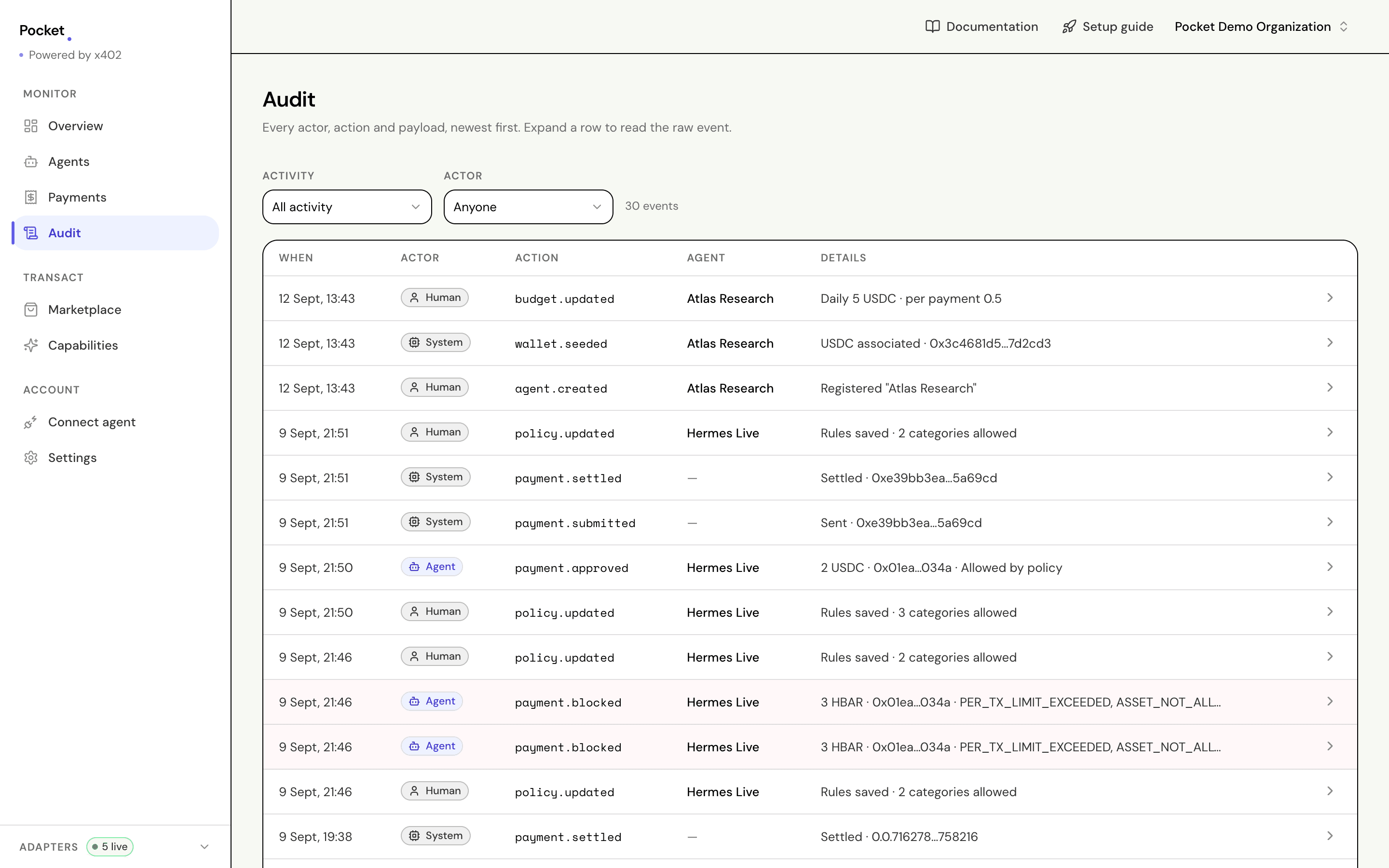
Actor is the column that matters. Human is someone signed in, Agent is
an agent acting on its own, System is Pocket recording something that
happened elsewhere, such as a settlement confirming. Narrow by activity —
payments, policies, API keys — or by who acted.
Expand a row to read the raw event.
Marketplace
Paid data feeds you can buy from the dashboard, without connecting an agent first.
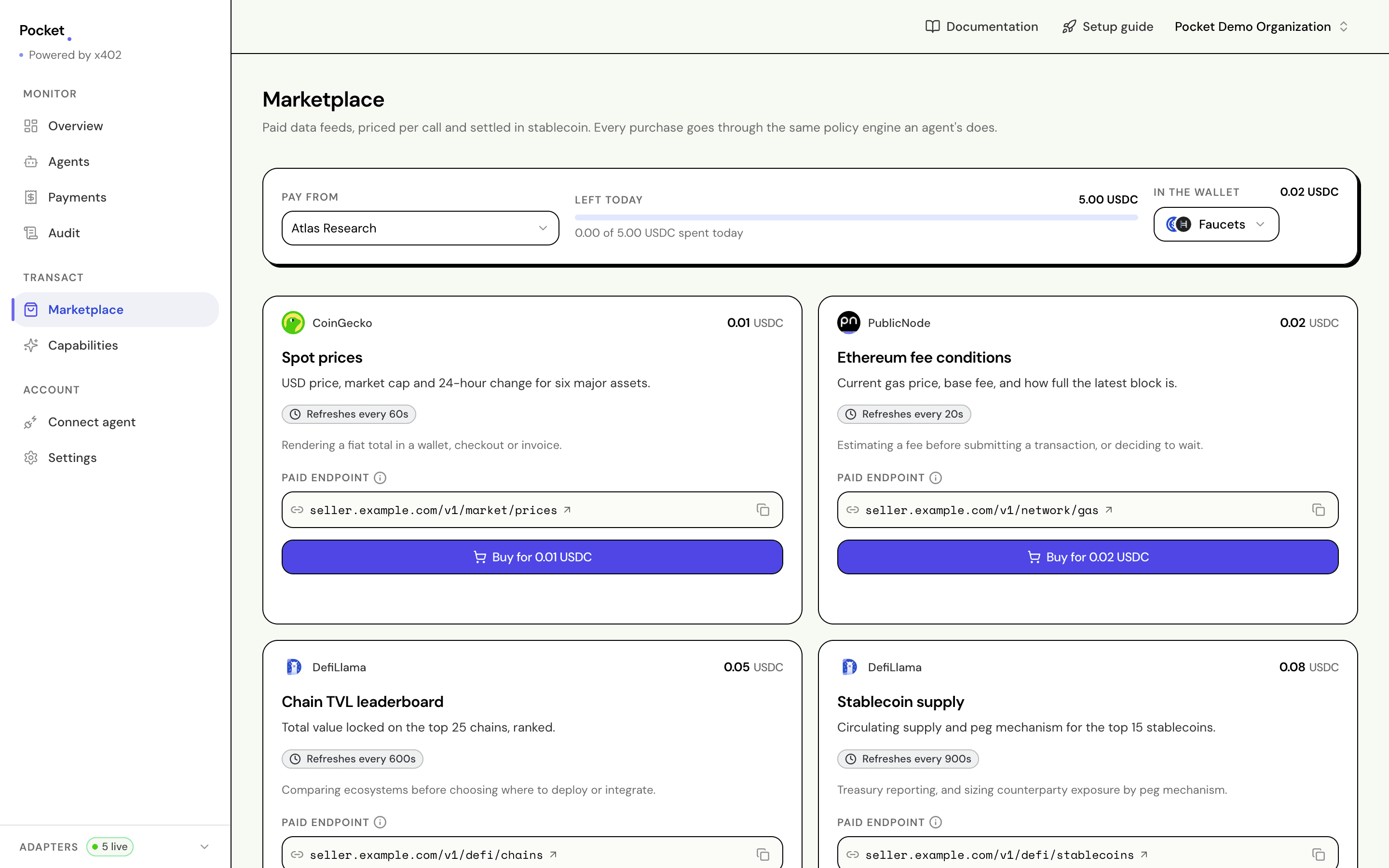
Choose which agent pays at the top; its remaining budget and wallet balance sit beside the selector, so you know before you press the button rather than after. Faucets is here too.
Each card names its paid endpoint — the URL that answers 402 — because
that address is the thing you will hand to an agent later, and a marketplace
that hides it teaches you nothing about the protocol underneath.
A purchase made here goes through exactly the same checks an agent's does. The only difference recorded is that a person asked.
If the wallet cannot cover the price, the button is disabled and says so rather than letting you find out from a refusal. Nothing is signed, and nothing is recorded: the shortfall is arithmetic, not a policy decision.
There is also a box for any other paid URL, so you can point it at a seller that is not on the list. See buying with x402.
Capabilities
What your agent can do once it is connected, and prompts to try.
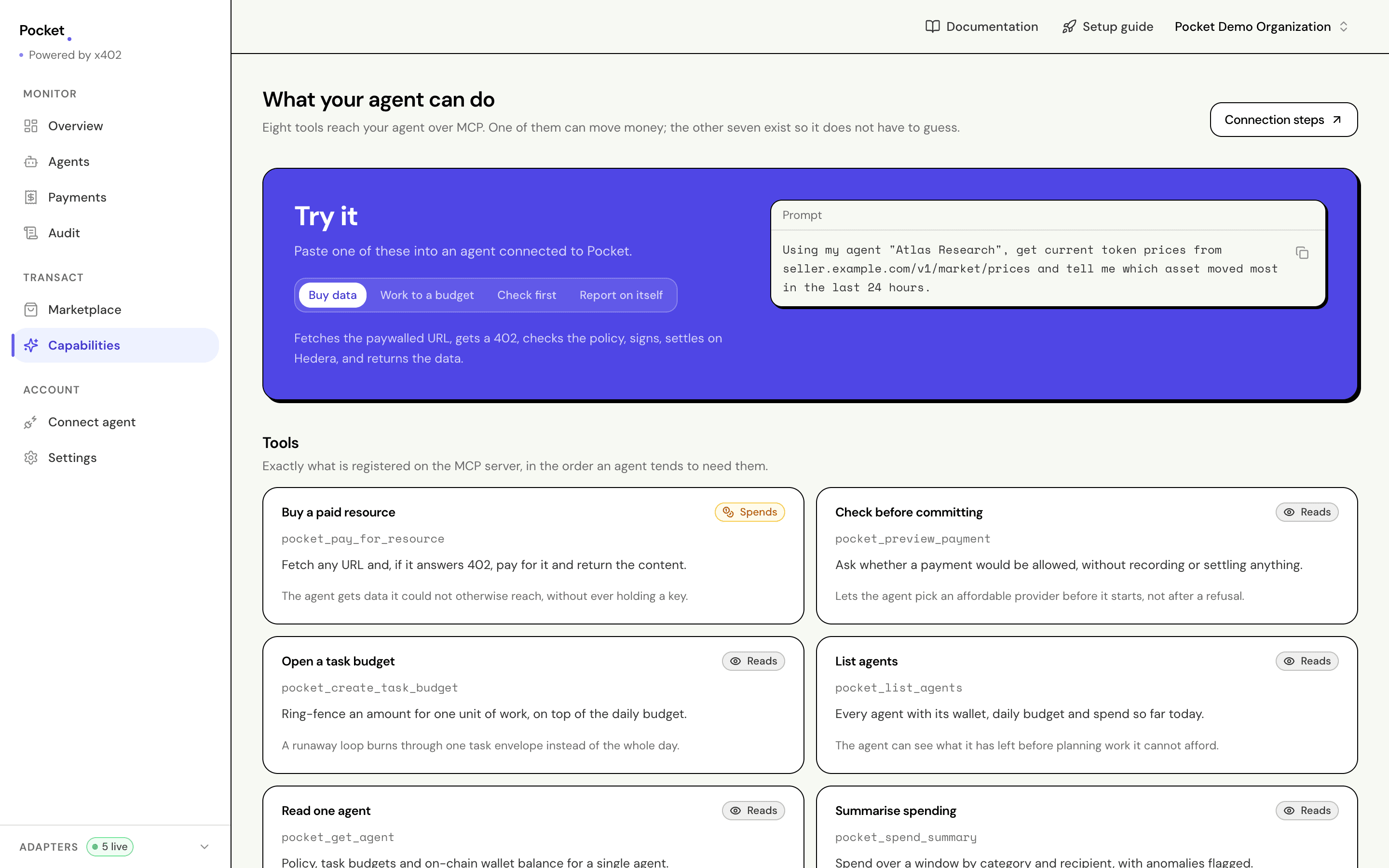
The Try it panel holds prompts with your real agent name and your real seller URL already in them, ready to paste into a connected agent. Four flavours: buy data, work to a budget, check before committing, and report on itself.
Underneath, every tool the MCP server registers, marked Spends or Reads. Exactly one of the eight can move money.
Connect agent
The seven steps from an empty organization to an agent that has paid for its own data.
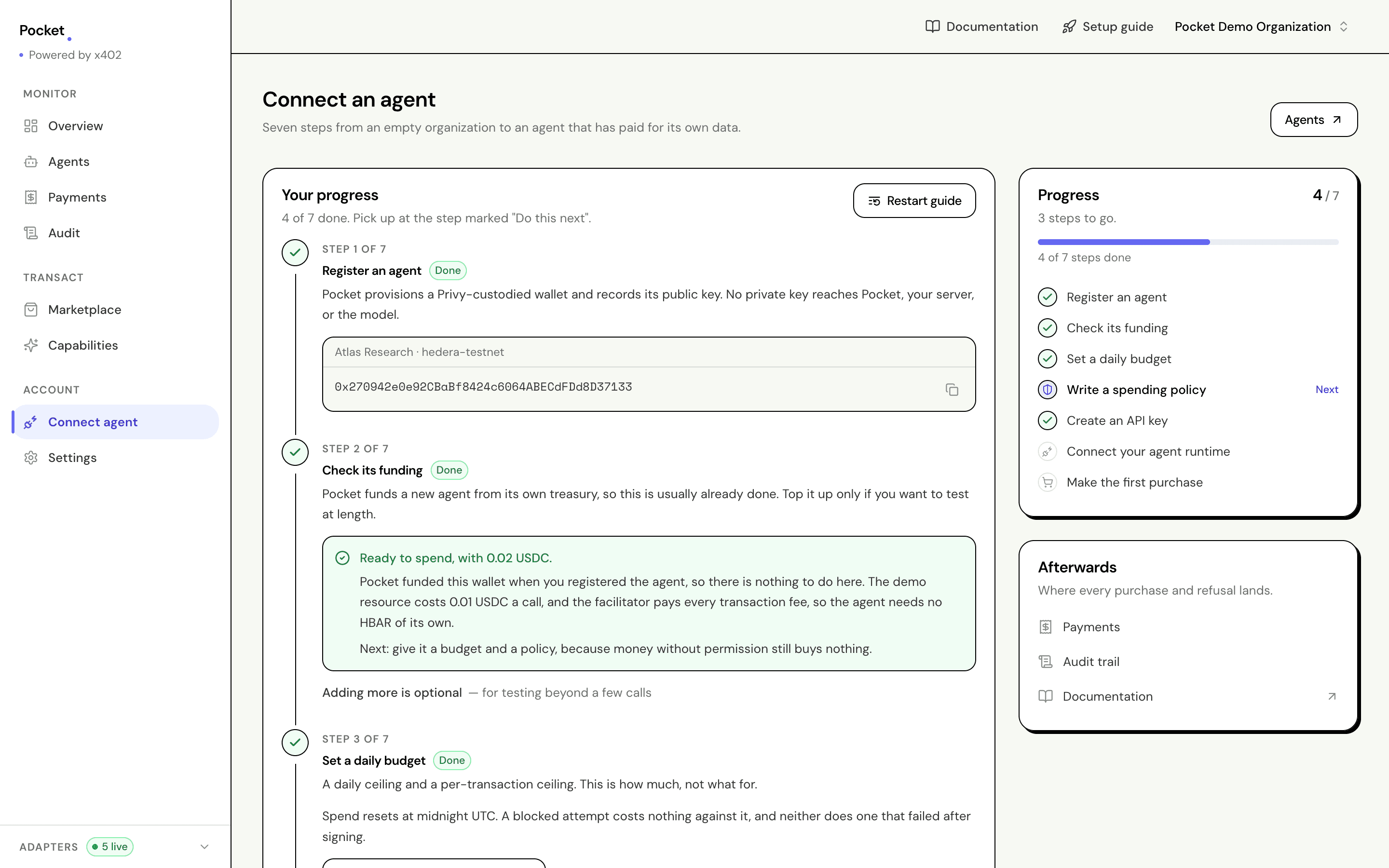
This screen reads live state rather than a checkbox you ticked. It knows whether the wallet holds anything, whether a budget was saved, whether a key exists. A step marked done is done because Pocket looked.
Do this next marks where you are. Restart guide clears the marker without undoing anything.
Settings
Rename the organization, manage API keys, and copy the addresses your agent runtime connects to.
Keys are shown once, at creation, and only a hash is kept. Name each one after the thing that will use it, so revoking one runtime does not take down the rest. See creating an agent for where the key goes.
Endpoints, in the same screen, holds the two addresses your agent runtime needs: the MCP server it connects to, and the API behind it. Both have a copy button, because both end up pasted into a configuration file somewhere else.
What every screen shares
The rail, on the left, with the adapter panel at the bottom. Open it to see what is handling each of the five things Pocket relies on something else for — custody, settlement, spend history, pricing, and sign-in — and whether each is answering. It is the first place to look when a number on screen is not the number you expected.
The i marks. Anything with a small i beside it explains itself on
hover. They are on the things whose meaning is not obvious from the label —
task budgets, policy fields, paid endpoints — and deliberately not on the
things whose label is already the explanation.