The audit trail
Every purchase, every refusal, and every change you made, kept with the reason attached.
Most systems drop what they blocked. That is exactly the record you want three weeks later, when someone asks what a line on an invoice was for.
Pocket keeps all of it.
Payments
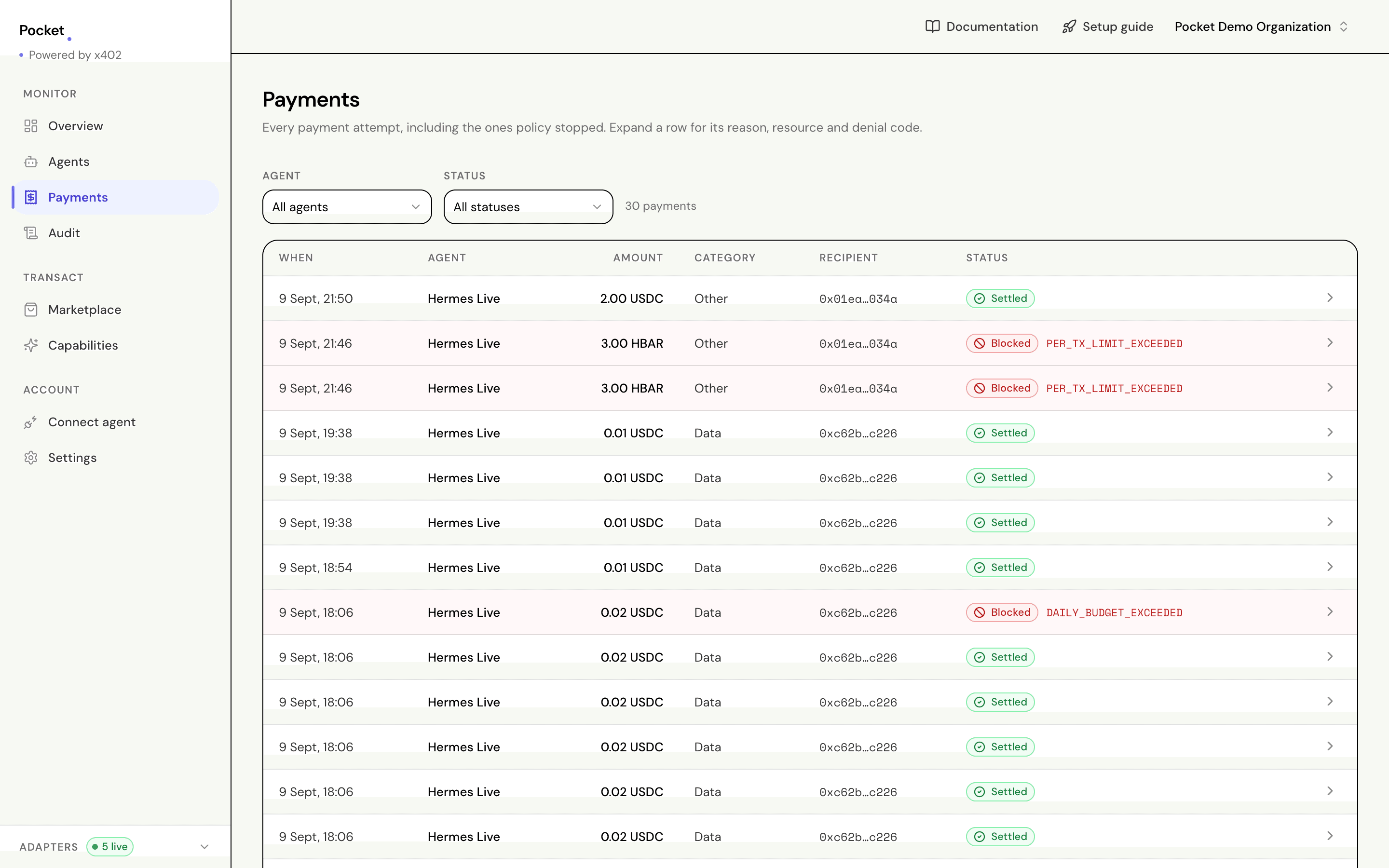
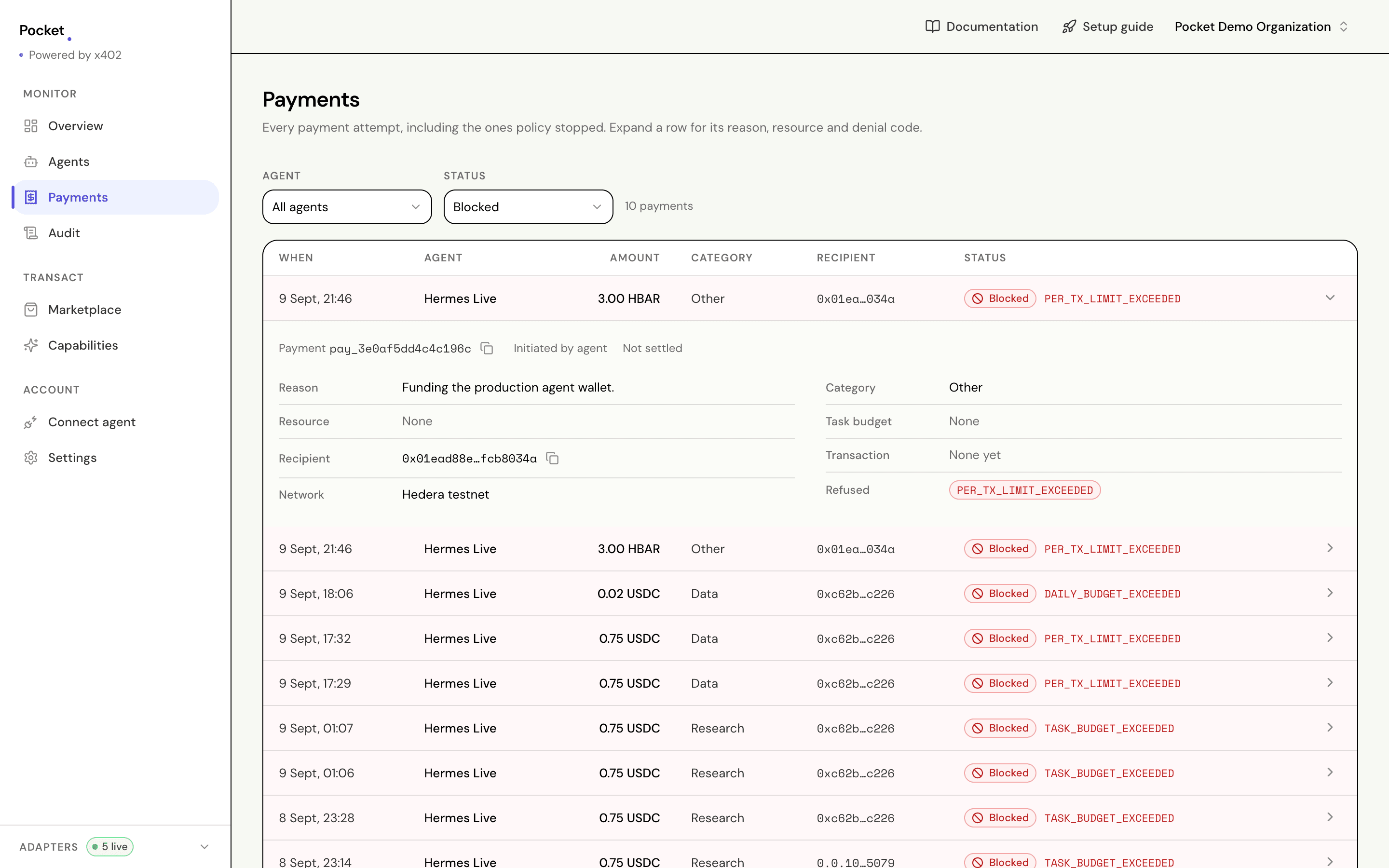
Open Payments for every attempt, including the ones that never went through. Filter by agent or by status.
| Status | Means |
|---|---|
| Blocked | Refused by a limit you set |
| Awaiting approval | Held for you. Nothing signed |
| Approved | Allowed, and on its way to the seller |
| Submitted | Sent, waiting on confirmation |
| Settled | Paid and delivered |
| Failed | Allowed, but did not go through |
Open any row for the full detail: the seller, the reason your agent gave, the rule that stopped it if it was stopped, and a link to the transaction.
Held purchases are approved or rejected from here.
Why refusals are kept
A refusal is a fact about your system, not an error that failed to happen.
Refused      Full market report
Agent        Hermes
Amount       0.75 USDC
Seller       market-data.example.com
Rule         per-job budget
Left         0.03 of 0.50
Asked by     agent, unattended
When         Tue 09:14:22
The "left" line matters as much as the rule. An agent told what it had can pick something cheaper. A person reading it later can tell whether the limit was too tight or the agent was being unreasonable.
The full record
Audit shows everything, newest first, not just payments. Budget changes, policy changes, new agents, new keys, approvals and rejections. Narrow it by activity — payments, agents, budgets, task budgets, policies, API keys, wallets, the organization itself — or by who acted, and page back through as far as the record goes.
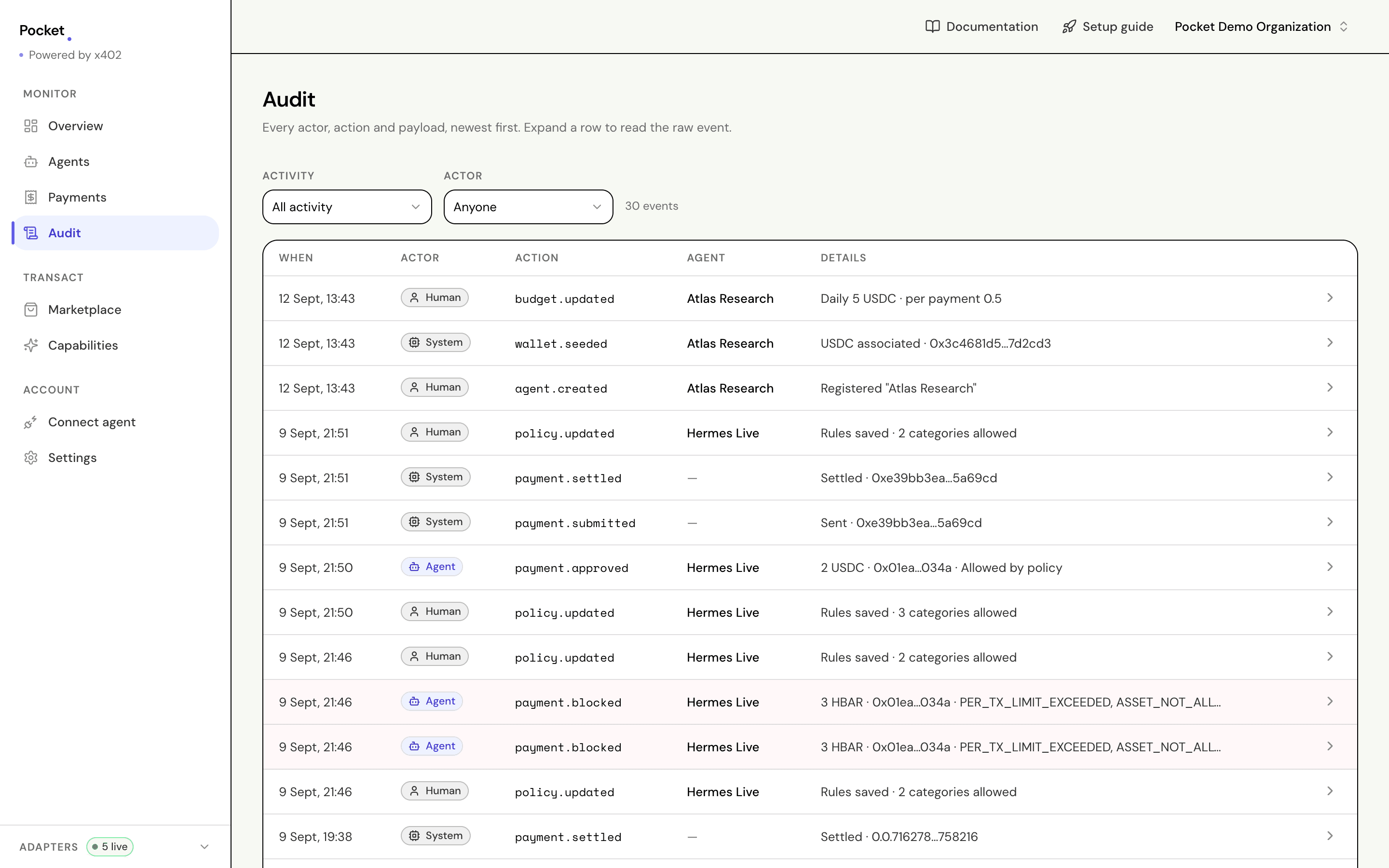
Each entry names who did it:
| Who | Means |
|---|---|
| Agent | An agent acting on its own |
| Human | Someone signed in to the dashboard |
| System | Pocket itself, recording a settlement |
A purchase you make from the dashboard and one your agent makes go through identical checks. Who asked is the only difference recorded, which is why it is recorded rather than guessed at.
Spend summaries
The Overview screen rolls it up: spend over the last seven days, today's figures against your ceiling, spend by category, and anything unusual.
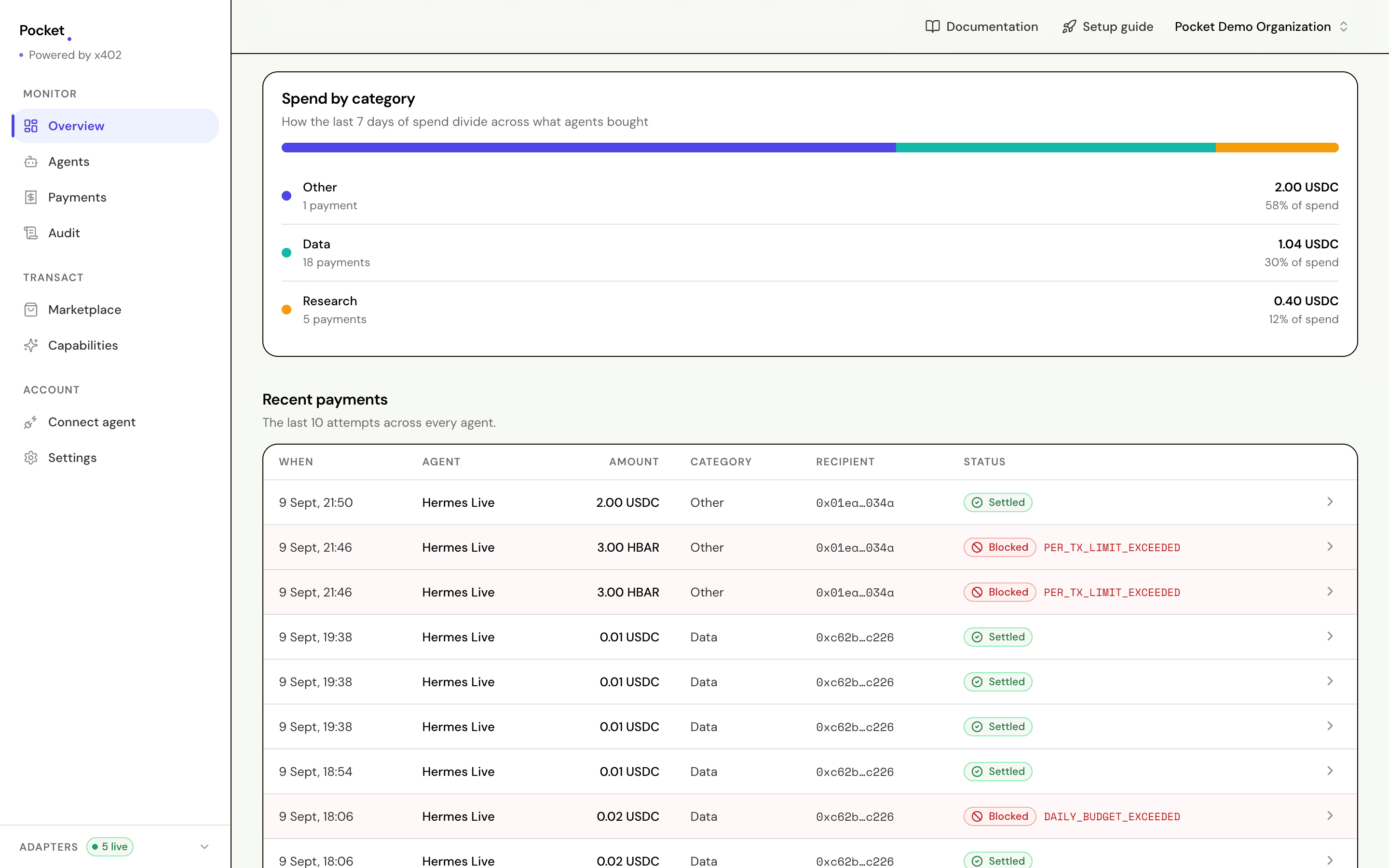
Today's numbers sit apart from the period's on purpose. An agent can be well inside its weekly average and still have spent its whole day by lunchtime.
Your agent can read the same summary through pocket_spend_summary, so you can
ask it directly:
Summarise what agent agent_1a2b3c spent in the last 7 days, broken down
by category. List anything that was blocked and why.
What is never recorded
No key, no token, and no credential of any kind appears in the audit trail or in any log. There is nothing there to leak, because Pocket never holds signing material in the first place.