Creating an agent
Give an agent a wallet, then connect the agent you already run.
An agent is whatever you already use to do the work. Pocket gives it a wallet and a set of limits.
Create it
Go to Agents and choose New agent. Give it a name, and optionally a line about what it does.
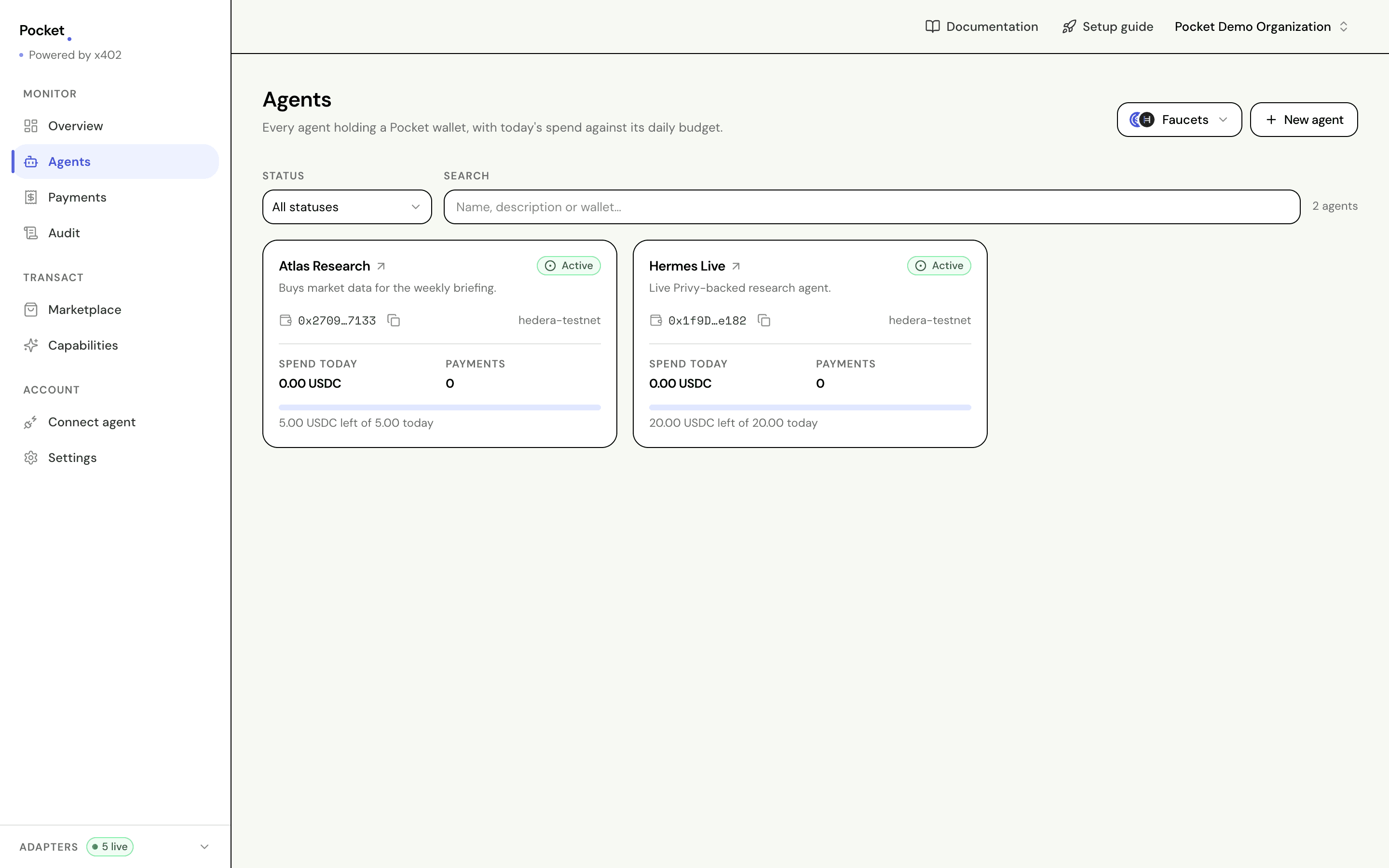
A wallet is created at the same time, and Pocket seeds it from its own treasury so it is not empty on arrival. The address and the balance appear on the agent's page.
Your new agent cannot spend anything yet. Money in the wallet is not permission to use it: that comes from the budget, which is the next page.
Fund the wallet
The seed is small — enough to buy something cheap and watch it work. Faucets, beside New agent and on the agent's own page, opens the two testnet taps.
Circle hands out the stablecoin your agent spends. It wants the Hedera 0.0.x
account id rather than the 0x… address, and the agent's page shows both,
labelled.
The wallet is already opted into the token, so there is nothing else to do. The balance appears once the transfer confirms. Funding a wallet covers the rest, including what to do when a faucet claims to have sent money and none arrives.
Connect the agent you run
Open Connect agent in the dashboard and copy the line for whichever agent you use.
hermes mcp add pocket --transport http --url https://your-mcp-url/mcp \
  --header "Authorization: Bearer pocket_sk_..."
The key is the one you minted in the dashboard. Mint a separate key per runtime so you can revoke one without disturbing the others.
The model never holds the key
Language model
no credential at all
Your agent
asks to buy
Your runtime
sends the key
checks and pays
The key sits in your runtime's config; the model only ever asks for a purchase
The key lives in your runtime's configuration and travels as a transport header. It is never passed to the model, never returned in a tool result, and never written into the context. A model that cannot read it cannot leak it.
Pocket's MCP server stores no key of its own, so the endpoint reaches only the organization whose key the caller already holds.
What it can do once connected
Eight tools reach your agent. One can spend, and the other seven exist so it does not have to guess.
| Tool | What it does | Spends |
|---|---|---|
pocket_pay_for_resource | Buys something and returns the content | Yes |
pocket_preview_payment | Asks whether a purchase would be allowed | No |
pocket_create_task_budget | Opens a ring-fenced amount for one job | No |
pocket_list_agents | Lists agents with budgets and spend | No |
pocket_get_agent | One agent, with its limits and balance | No |
pocket_spend_summary | Spend by category and seller | No |
pocket_list_payments | Recent purchases, refusals included | No |
pocket_audit_trail | The full record | No |
Renaming
Edit, on the agent's page, changes its name and description. The name is not a label kept alongside the record: it is the agent's name, so every payment and every audit entry reads back under the new one. There is one agent, and it is now called this.
Pausing and revoking
On the agent's page you can pause it, which refuses everything until you resume, or revoke it, which is permanent. A revoked agent keeps its history and can never spend again.
Deleting an agent
Delete agent, on the agent's page, retires it for good. It stops being offered anywhere and can never spend again.
What it does not do is erase what the agent spent. Its payments stay on Payments and Audit under the name it had, refusals included. Deleting an agent hides the agent, never the record.
If the wallet still holds money, Pocket asks where it should go before letting you delete. Pick one of your other agents and the whole balance moves in one transaction, then the agent is retired.
Sometimes it cannot move — the wallet pays the fee for that transfer itself, and one holding no HBAR cannot send. The dialog then offers the HBAR faucet, and failing that, offers to delete and leave the balance where it is. See funding a wallet.
Getting good behaviour
Three things make an agent predictable:
- Name the agent in your prompt. Otherwise it guesses, and it may guess wrong.
- State a ceiling. It cannot exceed its real limits either way, but a stated number gives it something to plan against.
- Say what to do when refused. "Tell me what you can afford instead" turns a dead end into a useful answer.
The Capabilities screen has prompts already filled in with your own agent's details, ready to copy.